Learning JavaScript, Day 16 – Bitwise Operations and BigInt
I am attempting to set up an old Dell laptop with Plex on Debian in order to have a nice little media server.
I would've gone for Mint, because I like Mint, that's what I use on my netbook, and have for awhile now, but apparently Plex and Mint don't like each other, and I think the latest Ubuntu would make this poor abused little laptop cry, so I'm trying Debian. It's mostly okay, but I managed to set up my login account without sudo abilities and apparently can't even set them in root, so...yeah. I'm working on it.
It'd be nice to have a random media laptop though. I almost ran out of space on this little old MacBook Air thanks to downloading a few of my audiobooks, and that was terrifying.
But, okay, while Blueberry Spicehead (the name of my Debian laptop) is slowly getting everything in order, I am on Marina (the name of my MacBook Air) and going to learn about Bitwise Operations and BigInt.
Bitwise Operations
Oh no, this is going to be like the heavy-duty high-theory binary-filled programming stuff, isn't it, where I'm just going to be staring blankly and going "...what?"
Like, there are plenty of examples, but they all involve binary, and I'm terrible at counting in binary, it just does not work for me. I mean, hell, I'm terrible at numbers anyway, numbers have a tendency to switch around on me as it is, so trying to make me count a bunch of 0 and 1 and try to remember that, like, 00000000000000000000000000000110 is 6 and 11111111111111111111111111111010 is -6?
It's not going to happen. I am going to end up spending hours counting each number, losing my place and starting again. All of my knitting is done in sets of 5, and even then I have to keep checking I have the right number.
They even include the stupid binary joke.
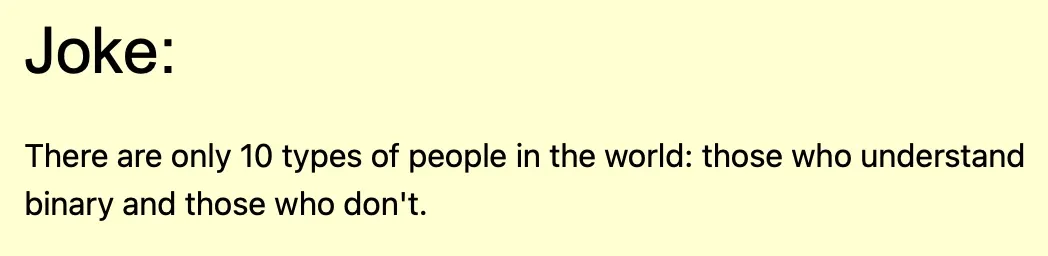
Ha. Fucking. Ha.
Please, if someone could tell me how I actually use all of these operations in an example that I understand where I don't have to count a lot of numbers, that would be an immense help.
BigInt
I know that BigInt is for numbers that go over 15 digits, because JavaScript sort of freaks out once you hit 16.
I like the example they have to show this.
// 15 digits:
let x = 999999999999999;

// 16 digits:
let y = 9999999999999999;
document.getElementById("demo").innerHTML =
"Accurate: " + x + "<br>Inaccurate: " + y;
x gives you the accurate 999999999999999, but JavaScript cries when faced with y and gives 10000000000000000 instead.
There are two ways I can make a BigInt.
Either I put n at the end of the integer, or I do BigInt() with a string inside.
let x = 12345678910111213141516n;
let y = BigInt("12345678910111213141516");
let z = 12345678910111213141516;
document.getElementById("demo").innerHTML =
x + "<br>" + y + "<br>" + z;
And both x and y return 12345678910111213141516, whereas z returns 1.2345678910111212e+22, which is...wait, I can do this...
1234567891011121200000
You'll notice that it all goes wrong in the last third.
And I can't do BigInt(12345678910111213141516) because that only works up to the 15 digit. And it gives me 12345678910111212371968 which is, yes, a big number, but a big wrong number.
You can do arithmetic with BigInt, which is nice.
So, if, like, I had my big number and I wanted to add just one more to it
let x = 12345678910111213141516n;
let y = x++;
document.getElementById("demo").innerHTML =
x + "<br>" + y;
Weirdly, I get both numbers, but they're swapped.
12345678910111213141517
12345678910111213141516
and the same happens if I do y = x--. I guess because it involves x.
You can't do arithmetic between a BigInt and a Number. You have to convert one to the other, and since you're usually using BigInt with a number over 15 characters, it'd make sense to convert your tiny number into a BigInt.
let x = 12345678910111213141516n;
let y = 1;
let z = x + BigInt(y);
document.getElementById("demo").innerHTML =
x + "<br>" + z;
I wasn't getting the right response if I had x + "<br>" + BigInt(y) in my document, so I had to add another variable. But I do get
12345678910111213141516
12345678910111213141517
Which is exactly what I wanted.
You can't put decimals into BigInts, so if you have to divide, turn it into a Number before you do it. Which is kinda annoying, because then you'll get rounding errors.
let x = 12345678910111213141516n;
let y = 1000;
let z = Number(x) / y;
document.getElementById("demo").innerHTML =
x + "<br>" + z;
That gives me
12345678910111213141516
12345678910111212000
And, see? That 212000 at the end of the second number? Annoying. It should be 12345678910111213141.516. But, no such luck.
You can also use all the comparisons, like > and ==. BigInt 10 is loosely the same as Number 10, but if you did 10n === 10, that's a false, because one is a BigInt and one is a Number.
And you can use Bitwise Operators, but only with other BigInts. You can also use other bases.
I like BigInts so much more than Bitwise. I get BigInts, even if I can't count them properly.
Day 16 — Results
- Bitwise Operations work in binary and do binary things.
- BigInt are numbers that are bigger than the 15 characters JavaScript allows for Numbers.
- You set a BigInt either by putting
nat the end of your Number, or by doingBigInt("Number String"). - You can do arithmetic with BigInts.
- If you're doing arithmetic with a BigInt and a Number, you have to convert one to the other format.
- You can't have decimals in BigInts.
- If you want to divide a BigInt by a number, you'll have to convert it to a number, in case a decimal shows up.
- You can use all the comparisons as well.
- BigInt
===Number will return afalse, even if they look like the same number, because one is a BigInt and one is a Number.
Next I dive into Functions. They shouldn't break my brain as much as numbers do, but they always could.
Also, hey, I got Plex to work on Blueberry Spicehead! It took a lot of random searching for the right commands, and it looks like I might have to tweak my folders again, but success! It is good!
Today's Sticker
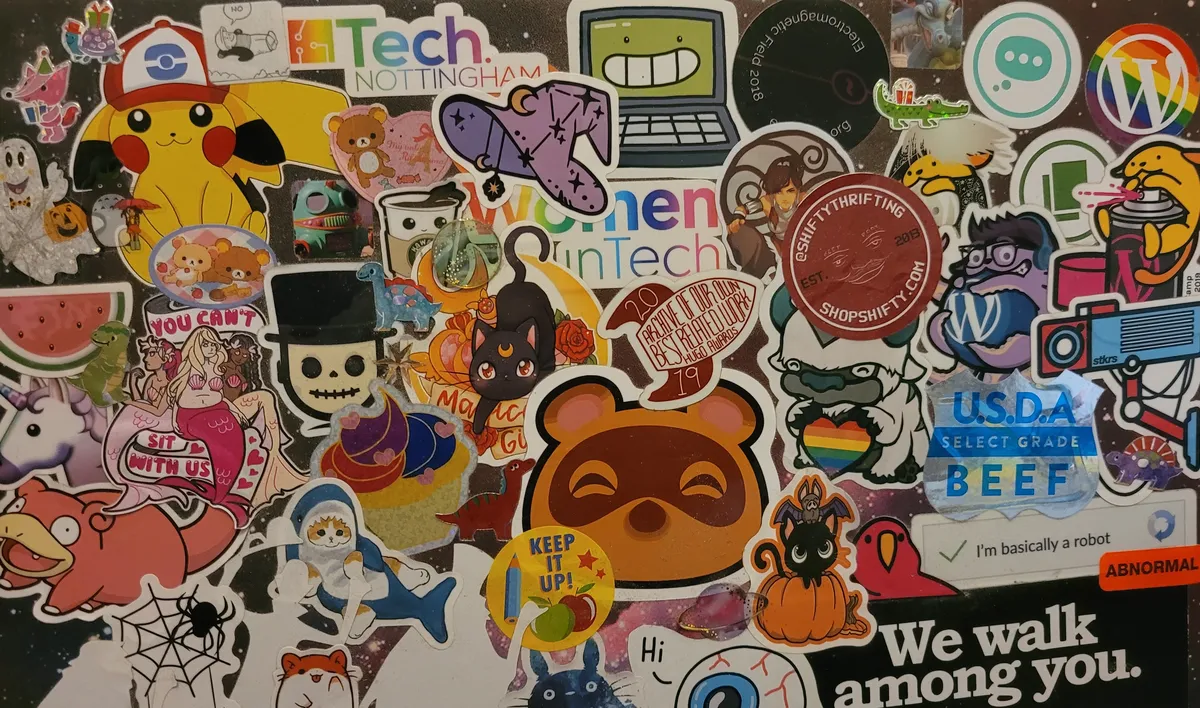
Instead of ONE sticker, you get MANY stickers! All the stickers on the back of Blueberry Spicehead's case!
I'm not going to go through each one, but here are a few that amuse me (going clockwise from the top left)
- All various WordPress stickers I picked up from WordCamps, including three Wapuus.
- The Last Exit To Nowhere "We Walk Among You" sticker.
- The Jess Bradley eyeball saying "Hi".
- The Poorlyformed Bi Pride Cupcake sticker.
- The Tech Nottingham watermelon.
- The greatest Nancy panel ever drawn.
- The 2019 Hugo Award for Best Related Work (they can say that we can't call ourselves Hugo winners, but it still doesn't stop being funny).
- Shifty Thrifting, my beloved.
- Electromagnetic Field 2018