Learning Web Development, Day 12 — Checking Out
Today is the last day of my "Web Development Fundamentals with HTML, CSS, and Bootstrap — Complete Guide".
I know, I know, you're just as heartbroken as I am.
But before I can have us all join in a circle of remembrance, I must first get through the Checkout Page.
02 — Bootstrap Project 2
Y'know, I'm not even mad at Bootstrap any more. Like, building a pricing page and a checkout page was what it's designed for. That's what it does. Sure, it doesn't do it well, but, really, I've seen some hacky-as-hell checkout pages, and it's not that bad.
I don't ever want to see it used on anything I'm working on, but that doesn't mean it doesn't get the job done.
I'm probably going to get mad at it again, though, just because forms are already tricky and annoying and I have a feeling that Bootstrap is going to be make them even more annoying.
I bet you are. I bet you're going to do so much bullshit. I see you.
06 — Build A Checkout Page
So. Many. Divs. Oh my god. And then there's <small> and <strong> and <h5> and whyyyyy.
Why does my code look like this?
<div id="checkout">
  <div class="header">
    <h2 class="display-4 text-white">
      Checkout
    </h2>
  </div>
  <div class="row px-5 mx-5 py-5">
    <div class="col-md-4 order-md-2 mb-4">
      <h4 class="d-flex justify-content-between align-items-center mb-3">
        <span class="text-muted">
          Your Cart
        </span>
        <span class="badge badge-secondary
        badge-pill">
          1
        </span>
      </h4>
      <ul class="list-group mb-3">
        <li class="list-group-item d-flex
        justify-content-between bg-light">
          <div class="text-success">
            <h5>
              Promo Code
              <small>
                SALE
              </small>
            </h5>
          </div>
          <span class="text-success">
            -£450.00
          </span>
        </li>
        <li class="list-group-item d-flex
        justify-content-between">
          <span>
            Total (GBP)
          </span>
          <strong>
            £49.99
          </strong>
        </li>
      </ul>
      <form class="card p-2">
        <div class="input-group">
          <input type="text" class="form-control"
          placeholder="Promo Code">
          <div class="input-group-append">
            <button type="submit" class="btn btn-secondary">
              Redeem
            </button>
          </div>
        </div>
      </form>
  </div>
</div>
Why??? Why are you putting the price in a <strong>? Why are you putting the discount code in a <small>? Why is the <h2> in a <div class="header"> when it's already a header? Why is the whole promo code thing in an <h5>? What does any of this mean? How does this look when you have CSS turned off? It's CSS Naked Day for crying out loud!
Why is the only way text-success shows up is that it's green? What about people who can't see green well? What on earth are you doing to actually show people that things are good? Ugh, god, why is this such a giant mess that does so little?
I like badge-pill though. That's a nice little bit of styling. That's about all I can say.
07 — Build A Billing Information Section
There's a lot of unneccessary order switching here. Like, if the billing information is supposed to appear before the basket, then why isn't it first in the code? Why am I doing order-md-1 and order-md-2 instead of having them just be in the right order?
This is even more obvious with the <input> and <label>. Like, why am I doing it like this?
<input type="text" class="form-control"
id="firstName" required>
<label for="firstName">
  First Name
</label>
Wouldn't it just make sense from a general sense of order to have the <label> first? I mean, that's what it's there for. Okay, yeah, these labels will show up below the input fields, which I guess is okay, but, y'know what? I don't like it.
Also, I don't like splitting up first name and last name. This is because I hope that, one day, Cher buys things from me.
But, fine, let's have more <div> soup.
<div class="col-md-8 order-md-1">
  <h4 class="mb-3">
    Billing Address
  </h4>
  <form>
    <div class="row">
      <div class="col-md-6 mb-3">
        <input type="text" class="form-control"
        id="firstName" required>
        <label for="firstName">
          First Name
        </label>
      </div>
      <div class="col-md-6 mb-3">
        <input type="text" class="form-control"
        id="lastName" required>
        <label for="lastName">
          Last Name
        </label>
      </div>
    </div>
    <div class="mb-3">
      <input type="email" class="form-control" id="email"
      required>
      <label for="email">
        Email Address
      </label>
    </div>
    <div class="mb-3">
      <input type="text" class="form-control" id="address">
      <label for="address">
        Mailing Address
      </label>
    </div>
    <div class="row">
      <div class="col-md-5 mb-3">

      </div>
    </div>
  </form>
</div>
God, this whole row and col thing feels like you're just rebuilding tables, but in <div>s. It's kinda painful.
08 — Build Address Selection Fields
<div class="col-md-5 mb-3">
  <label for="country">Country</label>
  <select class="custom-select d-block w-100" id="country">
    <option value="">Choose...</option>
    <option value="GB">United Kingdom</option>
    <option value="US">United States</option>
  </select>
</div>
Hold up, you have me putting <label> after <input> across this whole form, and now you're having me put it first in the Country section?
Make up your dang mind! We can't have both, that's just tacky!
I understand exactly why the Country and County have their labels above the drop-downs, but, man, you gotta have the other labels above too. That's just common sense. What are you doing.
<div class="row">
  <div class="col-md-5 mb-3">
    <label for="country">Country</label>
    <select class="custom-select d-block
    w-100" id="country">
      <option value="">Choose...</option>
      <option value="GB">United Kingdom</option>
      <option value="US">United States</option>
    </select>
  </div>
  <div class="col-md-4 mb-3">
    <label for="county">County</label>
    <select class="custom-select d-block
    w-100" id="county">
      <option value="">Choose...</option>
      <option value="LEI">Leicestershire</option>
      <option value="NOT">Nottinghamshire</option>
    </select>
  </div>
  <div class="col-md-3 mb-3">
    <label for="postcode">Post Code</label>
    <input type="text" class="form-control" id="postcode">
  </div>
</div>
<div class="custom-control custom-checkbox">
  <input type="checkbox" class="custom-control-input"
  id="same-address">
  <label class="custom-control-label" for="same-address">
    Shipping Address same as Billing Address
  </label>
</div>
<div class="custom-control custom-checkbox">
  <input type="checkbox" class="custom-control-input"
  id="save-information">
  <label class="custom-control-label"
  for="save-information">
    Save My Address
  </label>
</div>
I will say one thing — that whole custom-checkbox style? That's pretty sweet. I dig that. And you get points for having the label there so you can click on the text to tick the checkbox.
But, dang, so much code. What is all this for?
09 — Build Payment Information Fields
Something in the code I typed meant that my radio buttons weren't working, but then when I copied in the code from the source code file, they magically appeared, and I am not bothered enough to debug what I did wrong. Probably something like how I keep on typing "customer" when I'm supposed to be typing "custom". Force of habit, like typing "marketing" when it's supposed to be "market", just because I have spent too much time typing those words and it's just sense memory.
But, hey, radio buttons! Such excitement!
<h3 class="mb-3">
  Payment
</h3>
<div class="d-block my-3">
  <div class="custom-control custom-radio">
    <input id="creditcard" name="paymentMethod"
    type="radio" class="custom-control-input">
    <label class="custom-control-label"
    for="creditcard">
      Credit Card
    </label>
  </div>
  <div class="custom-control custom-radio">
    <input id="debitcard" name="paymentMethod"
    type="radio" class="custom-control-input">
    <label class="custom-control-label"
    for="debitcard">
      Debit Card
    </label>
  </div>
  <div class="custom-control custom-radio">
    <input id="paypal" type="radio" name="paymentMethod"
    class="custom-control-input">
    <label class="custom-control-label"
    for="paypal">
      Paypal
    </label>
  </div>
  <div class="custom-control custom-radio">
    <input id="soul" type="radio" name="paymentMethod"
    class="custom-control-input">
    <label class="custom-control-label"
    for="soul">
      Your Soul
    </label>
  </div>
</div>
The instructor has this huge discussion on whether or not the header should be an <h2> or an <h4>, and eventually chooses an <h3>, which is the correct choice in terms of where it's located in the process, and, honestly, I'm just glad it's not in <div class="header"> again.
10 — Build Card Information Fields
Wow, I'm surprised there isn't a type="card" for <input> yet. I suppose type="number" works okay, I mean, it is a string of numbers, but you'd think they'd consider it.
The instructor is using type="text". That just feels wrong.
Like, right now, it's:
<div class="row">
  <div class="col-md-6 mb-3">
    <input type="text" class="form-control"
    id="cardholder">
    <label for="cardholder">
      Card Holder's Name
    </label>
  </div>
  <div class="col-md-6 mb-3">
    <input type="text" class="form-control"
    id="cardnumber">
    <label for="cardnumber">
      Card Number
    </label>
  </div>
</div>
<div class="row">
  <div class="col-md-3 mb-3">
    <input type="text" id="expiration"
    class="form-control">
    <label for="expiration">
      Expiration
      </label>
  </div>
  <div class="col-md-3 mb-3">
    <input type="text" id="securitycode"
    class="form-control">
    <label for="securitycode">
      Security Code
    </label>
  </div>
</div>
<button class="btn btn-primary btn-lrg
btn-block" type="submit">
  Submit
</button>
Which is fine, I guess. I mean, I know there's a lot that can be changed, like making the expiration date into two separate small fields, and making the security code a password type of input, but it looks as it should do, so who am I to complain?
11 — Add Fine Tuning
This is just a bunch of odds and ends, like adjusting padding, changing colours, that sort of thing.
Like turning the checkout header from:
<div class="header">
  <h2 class="display-4">Checkout</h2>
</div>
to:
<div class="pricing-header text-center">
  <h2 class="display-4 text-white py-5">Pricing</h2>
</div>
Add more classes. Make everything in classes. Don't just assign values to an <h2> in your CSS, that's just ridiculous.
Day 11 — Results
- In Bootstrap, if you want things to be side-to-side of each other, you bring in a
<div class="row">, and then have them in<div>s that areclass="col". - There are 12 columns in
col, so you can split up your row as needed by using-md-NUMBER. - If you want a 50/50 split, it's
col-md-6on two<div>s badge-pillandcustom-checkboxare attractive. That is all.
And that's it. That's Web Development with Bootstrap.
And...yeah, I am underwhelmed.
I learned some good bits of CSS, but they were few and far between, hidden in the weeds of a ridiculous amount of divs with a ridiculous amount of classes.
But I can say I've done it. I even have a certificate to prove it.
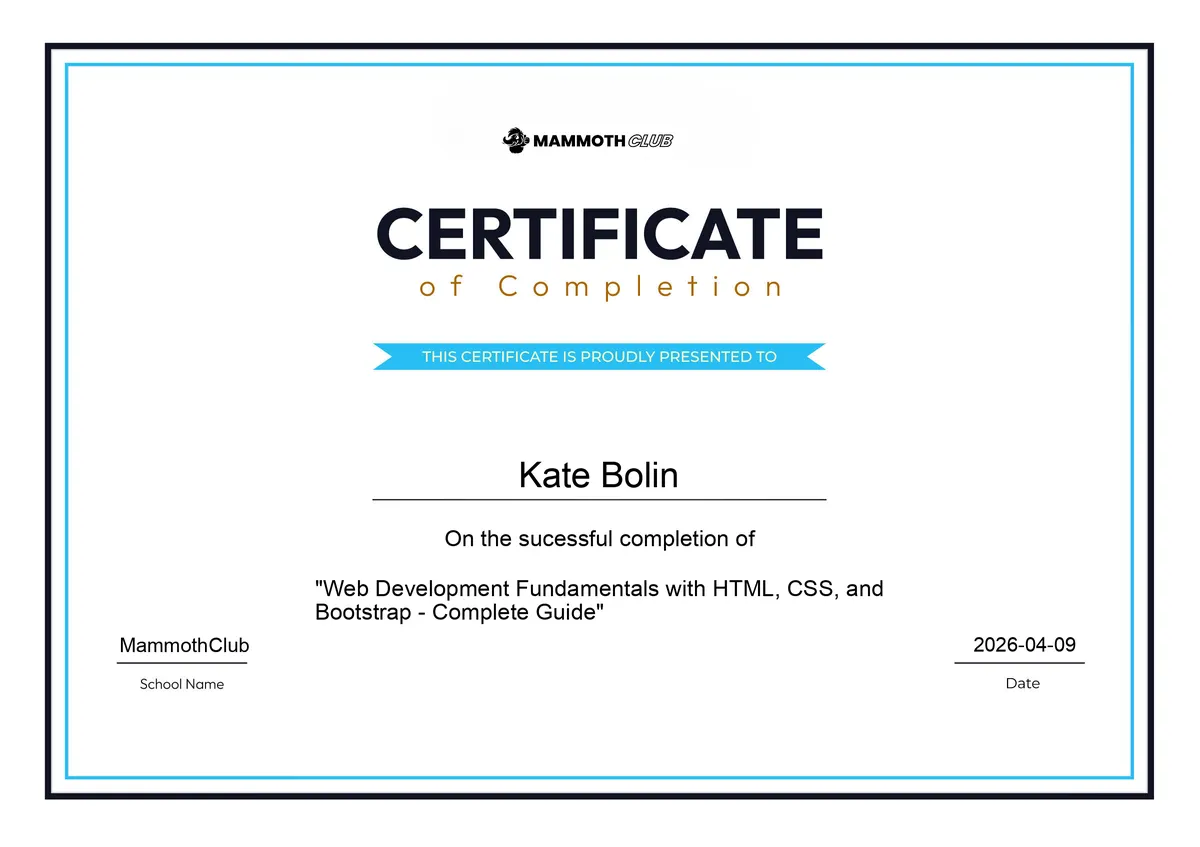
I don't know what I'm going to start on Monday. I could start another online course — I have a considerable pile in the "AI Automation for n8n, Python, and Modern Workflows" bundle that I bought, and there are actual ones that might be good for me to pick up.
Just going through the pile now, I'm seeing:
- 7-Hour Python Programming Fundamentals for n8n
- Automate Databases with Python
- Automate Data Mining with Regex in Python and Excel
- Automate Excel with OpenPyXL in Python
- Automate Excel with Data Engineering and Machine Learning in Python
- From Excel to Python: Transform Data Science Workflows
- Automating Database Workflows with n8n & SQL
- 12-Hour JavaScript Programming Fundamentals for n8n
- Master Selenium for Web Scraping Automation with Python
- Email Marketing Automation Beyond Mailchimp Using n8n
- Automate Content Creation and Marketing with AI Tools
- Automate Social Media & Content Pipelines with n8n
Those last three are more "other marketing teams are going to do this, so let's see how they work so I can do better" than actual "I will use this."
But I think that might be my schedule for as long as I'm unemployed and needing something to fill my days. I'm going to play with a lot of random data, make some weird programs, and, hopefully, keep y'all entertained.
I also just picked up a couple of Python books in another Humble Bundle (oh my weakness for cheap collections of curated ePubs knows no bounds), so if I end up liking Python a lot more than the rest of this, I have:
- Python Projects by Laura Cassell & Alan Gauld
- Professional Python by Luke Sneeringer
- Bite-Size Python: An Introduction to Python Programming by April Speight
- Adventures in Python by Craig Richardson
But what do you think? What should I do next?
Today's Sticker

The "It's alright just be polite" sparkly cat from Moog "megomobile" Graham
This is what I need to remember when people tell me that they're using Bootstrap in projects I have absolutely no say or control over.
Yep.
Be polite.
It's fine.