Learning Web Development, Day 7 — Carousels
I still think I'm more annoyed about how the course isn't actually explaining anything than I am about how utterly boring the produced work is. I mean, I get it, businesses want boring pages, that's just how it is. So I'm annoyed by it, but, whatever, have your boring-ass site.
But not explaining and just showing what you need to do...
It reminds me a lot of how I learned BASIC. Except I didn't learn BASIC. Not really. I just copied the programs out of the book and went "hey, look, the book showed me how to do this". All I really learned was PRINT and GOTO and that was the extent of what I could create on my own in BASIC.
And this is reminding me a lot of that. I'm not learning web development. I'm just following the same steps to produce the same thing. Rinse, repeat, rinse, repeat.
No wonder so many websites look and act the same. It's not just the framework, it's the fact that no one has taught people exactly why these are the way they are.
But, at least, if I know exactly what they're doing, I can try and get people to not do that.
Back to it!
02 — Bootstrap Project 1
So yesterday, we made the navigation and the first page. They were clunky and filled with things that didn't really make a lot of sense, but did what they needed to do.
I did say it was going to be Summerisle Apples, but I've decided against that for today. Since I had to pretty much copy/paste all the source code into JSBin to make it work, I'm just going to go with the same default page the instructor is making.
It is boring. But what the hey.
Here is where we left off, code-wise:
<!DOCTYPE html>
<html>
<head>
	<meta charset="utf-8">
	<meta name="viewport" content="width=device-width">
	<title>Company Name</title>
</head>
<body>
	<nav class="navbar navbar-expand-lg navbar-light
	bg-light fixed-top">
		<svg class="bi bi-x-diamond" width="2em"
		height="2em" viewBox="0 0 16 16"
		fill="currentColor"
		xmlns="http://www.w3.org/2000/svg">
		<path fill-rule="evenodd" d="M6.95.435c.58-.58
		1.52-.58 2.1 0l6.515 6.516c.58.58.58 1.519 0
		2.098L9.05 15.565c-.58.58-1.519.58-2.098 0L.435
		9.05a1.482 1.482 0
		010-2.098L6.95.435zm1.4.7a.495.495 0 00-.7 0L1.134
		7.65a.495.495 0 000 .7l6.516 6.516a.495.495 0 00.7
		0l6.516-6.516a.495.495 0 000-.7L8.35 1.134z"
		clip-rule="evenodd"/>
		<path fill-rule="evenodd" d="M11.854 4.146a.5.5 0
		010 .708l-7 7a.5.5 0 01-.708-.708l7-7a.5.5 0 01.708
		0z" clip-rule="evenodd"/>
		<path fill-rule="evenodd" d="M4.146 4.146a.5.5 0
		000 .708l7 7a.5.5 0 00.708-.708l-7-7a.5.5 0 00-.708
		0z" clip-rule="evenodd"/>
		</svg>
		<button class="navbar-toggler" type="button"
		data-toggle="collapse" data-target="#navbar"
		aria-controls="navbar" aria-expanded="false"
		aria-label="Toggle navigation">
			<span class="navbar-toggler-icon"></span>
		</button>
		<div class="collapse navbar-collapse" id="navbar">
			<ul class="navbar-nav ml-auto">
				<li class="nav-item">
					<a class="nav-link" href="#">Home</a>
				</li>
				<li class="nav-item">
					<a class="nav-link"
					href="#services-overview">Overview</a>
				</li>
				<li class="nav-item">
					<a class="nav-link"
					href="#featured-products-carousel">
					Featured</a>
				</li>
				<li class="nav-item">
					<a class="nav-link"
					href="#services">Services</a>
				</li>
				<li class="nav-item">
					<a class="nav-link"
					href="#contact">Contact</a>
				</li>
			</ul>
		</div>
	</nav>
	<div id="services-overview" class="py-5 text-center block
	block-1 full-page">
		<div class="py-5">
			<svg class="bi bi-x-diamond" width="2em"
			height="2em" viewBox="0 0 16 16"
			fill="currentColor"
			xmlns="http://www.w3.org/2000/svg">
			<path fill-rule="evenodd" d="M6.95.435c.58-.58
			1.52-.58 2.1 0l6.515 6.516c.58.58.58 1.519 0
			2.098L9.05 15.565c-.58.58-1.519.58-2.098 0L.435
			9.05a1.482 1.482 0
			010-2.098L6.95.435zm1.4.7a.495.495 0 00-.7
			0L1.134 7.65a.495.495 0 000 .7l6.516
			6.516a.495.495 0 00.7 0l6.516-6.516a.495.495
			0 000-.7L8.35 1.134z" clip-rule="evenodd"/>
			<path fill-rule="evenodd" d="M11.854 4.146a.5.5
			0 010 .708l-7 7a.5.5 0 01-.708-.708l7-7a.5.5
			0 01.708 0z" clip-rule="evenodd"/>
			<path fill-rule="evenodd" d="M4.146 4.146a.5.5
			0 000 .708l7 7a.5.5 0 00.708-.708l-7-7a.5.5
			0 00-.708 0z" clip-rule="evenodd"/>
			</svg>
		</div>
		<h1 class="py-5">Company Name</h1>
		<p class="lead">Put your company description here,
		with calls to action and an incentive to sign up to
		your newsletter or contact you.</p>
		<p><a href="#featured-products-carousel" class="btn
		btn-primary my-5 px-4 py-2">Learn More →</a></p>
	</div>

	<div id="featured-products-carousel">

	</div>

	<div id="services">

	</div>

	<section id="contact" class="contact">

	</section>

	<footer>

	</footer>

	<script src="https://code.jquery.com/
	jquery-3.4.1.slim.min.js" integrity="sha384-J6qa4849blE
	2+poT4WnyKhv5vZF5SrPo0iEjwBvKU7imGFAV0wwj1yYfoRSJoZ+n"
	crossorigin="anonymous"></script>
	<script src="https://cdn.jsdelivr.net/npm/
	popper.js@1.16.0/dist/umd/popper.min.js"
	integrity="sha384-Q6E9RHvbIyZFJoft+2mJbHaEWldlvI
	9IOYy5n3zV9zzTtmI3UksdQRVvoxMfooAo"
	crossorigin="anonymous"></script>
	<link rel="stylesheet"
	href="https://stackpath.bootstrapcdn.com/bootstrap/
	4.4.1/css/bootstrap.min.css"
	integrity="sha384-Vkoo8x4CGsO3+Hhxv8T/
	Q5PaXtkKtu6ug5TOeNV6gBiFeWPGFN9MuhOf23Q9Ifjh"
	crossorigin="anonymous">
	<script src="https://stackpath.bootstrapcdn.com/
	bootstrap/4.4.1/js/bootstrap.min.js" integrity="sha384
	-wfSDF2E50Y2D1uUdj0O3uMBJnjuUD4Ih7YwaYd1iqfktj0Uod8GCE
	xl3Og8ifwB6" crossorigin="anonymous"></script>
</body>
</html>
With a little bit of separate CSS:
html,
body {
	width: 100%;
	height: 100%;
	margin: 0 auto;
}

.block {
	color: white;
	background-color: black;
	padding: 5%;
}

.block-1 {
	background-color: #324376;
}

.full-page {
	height: 100vh;
}
Let's see how many unnecessary <div>s we add today, shall we?
05 — Build A Carousel
I am not really a fan of carousels in general. Like, they serve their purpose, but anything that requires me to do more to see something...sometimes I'm just not going to bother. I'm not going to see what's next in the row, I don't care enough, even if it is just a single finger swipe.
But people like them. So we make them.
What I like is that it's only now that the instructor starts saying that viewport-height breaks on browsers. It isn't breaking on the latest version of Safari, but, hey, okay, let's lose .full-page. That's fine.
I also get the feeling that I am going to really hate the word "carousel" by the time I finish all of this.
Carousel.
Carousel.
I already hate it.
What I don't understand is what is part of Bootstrap and what is part of JavaScript. Because this carousel has a lot of bits that are added into HTML tags I know, but I don't know what these bits actually are.
Like, for example:
<li data-target="#featured-products-carousel"
data-slide-to="0" class="active"> </li>
I get that data-target tells the browser that this list item has a target of the div it's in and that data-slide-to tells the browser what location this slide is in, but are both of these things that I can use if I could write regular old vanilla JavaScript myself? Or are these both Bootstrap commands, much like how class="active" brings up the Bootstrap "active slide in the carousel" CSS?
Am I overthinking this? Probably.
Should I probably have taken the JavaScript For Everyone course instead? Definitely. But that wasn't a £2 Humble Bundle, so...y'know...
I also don't understand why the carousel navigation is in an ordered list, but the carousel content is in divs. Like, what even is this:
<div id="featured-products-carousel" class="carousel slide"
data-ride="carousel">
	<ol class="carousel-indicators">
		<li data-target="#featured-products-carousel"
		data-slide-to="0" class="active"> </li>
		<li data-target="#featured-products-carousel"
		data-slide-to="1"> </li>
		<li data-target="#featured-products-carousel"
		data-slide-to="2"> </li>
	</ol>
	<div class="carousel-inner">
		<div class="carousel-item active image-container">
		</div>
		<div class="carousel-item">
		</div>
		<div class="carousel-item">
		</div>
	</div>
</div>
I do like that the instructor is including comments to keep track of all the divs in place, but, really, good layout will explain that better. Like, I don't need to go:
<div class="carousel-inner">
<div class="carousel-item active image-container">
</div>
<!--item-->
</div>
<!--carousel-->
If I have it as:
<div class="carousel-inner">
	<div class="carousel-item active image-container">
	</div>
</div>
That, I can read a lot easier.
But, okay, carousel structure in place. Do I know what all of this does? Nope. Maybe it'll make more sense once I populate it.
06 — Populate A Carousel
Well, now I, at least, know why we set width: 100%; height: 100% for html and body in our non-Bootstrap CSS.
It was so we can also set width: 100%; height: 100% in our carousel divs. Which we have awkwardly given the class carousel-placeholder.
I'm sure I've used background-size before for something, but I can't remember ever using background-size: cover. Which is a nice little thing to have, yes.
There are still way too many divs in this. I mean, dang, look at this:
<div id="featured-products-carousel" class="carousel
slide" data-ride="carousel">
	<ol class="carousel-indicators">
		<li data-target="#featured-products-carousel"
		data-slide-to="0" class="active"> </li>
		<li data-target="#featured-products-carousel"
		data-slide-to="1"> </li>
		<li data-target="#featured-products-carousel"
		data-slide-to="2"> </li>
	</ol>
	<div class="carousel-inner">
		<div class="carousel-item active image-container">
			<div class="carousel-placeholder
			carousel-placeholder-1">

			</div>
			<div class="container">
				<div class="carousel-caption text-left">
					<h2>Product 1.</h2>
					<p>Your product description here.</p>
					<p><a class="btn btn-lg btn-primary"
					href="#" role="button">Learn
					more</a></p>
				</div>
			</div>
		</div>
		<div class="carousel-item">
			<div class="carousel-placeholder
			carousel-placeholder-2">

			</div>
			<div class="container">
				<div class="carousel-caption text-center">
					<h2>Product 2.</h2>
					<p>Your product description here.</p>
					<p><a class="btn btn-lg btn-primary"
					href="#" role="button">Learn
					more</a></p>
				</div>
			</div>
		</div>
		<div class="carousel-item">
			<div class="carousel-placeholder
			carousel-placeholder-3">

			</div>
			<div class="container">
				<div class="carousel-caption text-right">
					<h2>Product 3.</h2>
					<p>Your product description here.</p>
					<p><a class="btn btn-lg btn-primary"
					href="#" role="button">Learn
					more</a></p>
				</div>
			</div>
		</div>
	</div>
</div>
Why am I going five divs deep to get to my Product Details? Why does each carousel item have two divs in it (with one of them having another div inside)?
This all feels like just too much extraneous code here. No wonder they want to comment where all the divs end — there's just too dang many.
And what the heck is role="button" anyway?
07 — Display A Carousel
So we add in the navigation for the carousel (which I thought was the ordered list, but, no, we apparently have to add two a tags in), and. Well.
<a class="carousel-control-prev" href="#featured-products-carousel"
role="button" data-slide="previous">
	<span class="carousel-control-prev-icon" aria-hidden="true"> </span>
	<span class="sr-only">Previous</span>
</a>
<a class="carousel-control-next" href="#featured-products-carousel"
role="button" data-slide="next">
	<span class="carousel-control-next-icon" aria-hidden="true"> </span>
	<span class="sr-only">Next</span>
</a>
This is me now:

I guess it's good that there's a screenreader-only option, but I just know it's a hot mess. I can feel it in my bones.
Anyways, I got the carousel to display, which is all good, but I can see it moving in the tiny sliver of browser window I can see while I type this, and it is annoying the hell out of me. I hate it when things move. Just imagine seeing this little piece of browser right here:
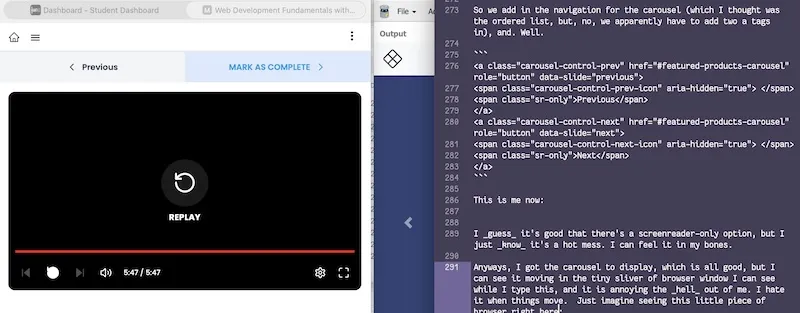
Changing from, like, salmon red to Tumblr blue to previous-Tumblr blue. Haaaaaaaate.
(Also, now you see how I'm doing all this nonsense. And probably Have Opinions. Deal with it.)
Day 7 — Results
- JavaScript starts with
0, like Python does, so remember to start with0, not1. - Some things are plain JavaScript, some things are Bootstrap JavaScript, I do not know which is which.
- In order to use
width: 100%; height: 100%;on an HTML element, it needs to be in a parent item that also has a set height and width. You can havehtml { width: 100%, height: 100% }if you just want to keep everything large and in charge. background-size: coversets the background image to cover the entire container it's attached to.- When
height: 100%;isn't behaving, you can always tryheight: 100vh;. - Why are divs. Why are spans. Why.
I still do not even get why we have an ordered list, then a bunch of divs, then two a tags. I don't understand why it's not just one ordered list.
But, at the same time, when am I going to ever want an auto-scrolling full-screen carousel? Let me tell you, never.
Today's Sticker
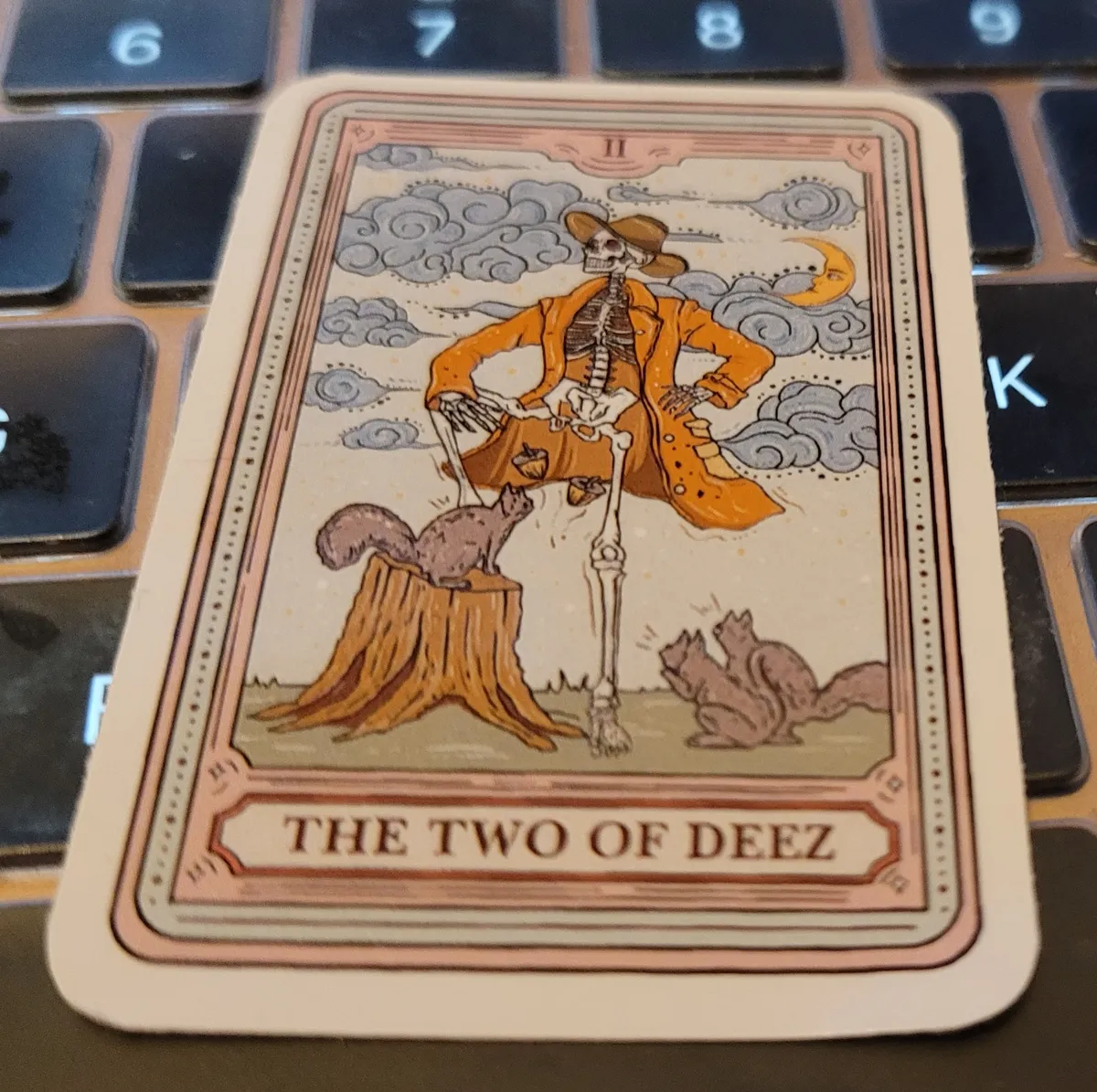
The Two of Deez Tarot card from Purple Hecate, which they no longer have as a sticker, but I can get it as a t-shirt. (However, I should point out that their ink isn't particularly hard-wearing and it will start flaking off in, like, three washes.)
I'm definitely feeling very Two of Deez right now. I started coding using TWOAH.
TWOAH?
TWO-AH DEEZ NUTS.